Main Page
From Diamond Painting Logbook Wiki
| Change Logs | FAQs |
|---|---|
| Change Log Version 1 | Version 1 |
| Change Log Version 2 | Version 2 |
Latest News=== Version 2.0.0 === Version: 2.0.0
Released: 2nd May 2026
New Features
- Complete rewrite of the app
- Cloud Syncing
- Diamond Art Club colours added
- Added more information that can be added - Artist Name, Tracking Number
- Notifications if you've left a time or break session running.
- Times can be adjusted from the about screen.
- Project search now searches where you got it from as well
- Can now set items received from the detail screen rather than having to go to the edit screen.
- Only shows for projects in the Not Received status
- Pictures are now thumbnails, allowing quicker loading.
- Tracking Accessories
- More Filtering options
- More stats added to the about screen
- New Icon
- Colour for custom colours can now be defined
- Symbols can be assigned to colours in a project
- Integration with Piwigo
- Upload queue for Piwigo
- Time list and break list mark if a time/break is active or on break
- Project list shows if a project has an active or paused session
- Ability to set a custom time frame for Time Today for Projects
- Ability to start/stop time sessions and breaks from the started list without having to go into a project
- Can hold on a project, or swipe right to bring the menu up
- Ability to add an order number to a project
- Can't have two project sessions active at once
- Can't have a break on a finished session (option isn't there)
- Image list shows what image is being used as the title image (starred)
- Can set title image from the images list
- Notes can now be added to Images
- Spin the wheel for the next project
- Project URL, tracking number links and FAQ link now open without leaving the app
- Can add notes to a time session
Bug Fixes
- Removed duplicate Diamond Dotz Colour - 8243
- Updated some filenames for colours
- Removed DMC colours 1-45
Screenshots
-
 New Icon
 -
 Old Icon
 -
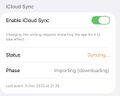 iCloud Syncing
 -
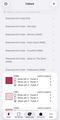 More Colour Manufacturers Added
 -
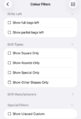 Updated Filter List
 -
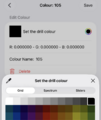 More Options for Custom Colours
 -
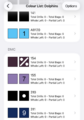 Symbols can be assigned to colours in a project
 -
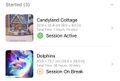 Time list and break list mark if a time/break is active or on break
 -
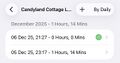 Project list showing a started session
 -
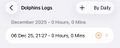 Project list showing a started session with an active break
 -
 Custom Time Cut Off
 -
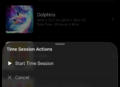 Starting time from the project list
 -
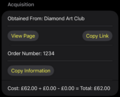 Order number for a project
 -
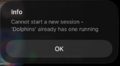 Not able to have 2 started sessions
 -
 Not able to set a break on an ended session
 -
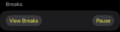 An active time session still have the break option
 -
 The title image highlighted in the image list
 -
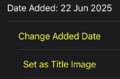 Set title image from an existing image
 -
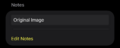 Adding a note to an image
 -
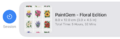 Swipe right for session controls
 -
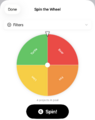 Next Project Spinner with all projects shown
 -
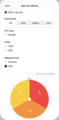 Next Project Spinner with filter added
 -
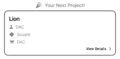 Next Project Spinner showing the chosen project
 -
 Notes Shown in the time log list
 -
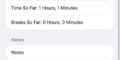 Notes in the time session


